Project
KATAKU
An iOS app that helps students with hearing impairments build their own flashcard decks and practice vocabulary pronunciation.
SwiftiOSSpeech-to-TextFSRS
Overview
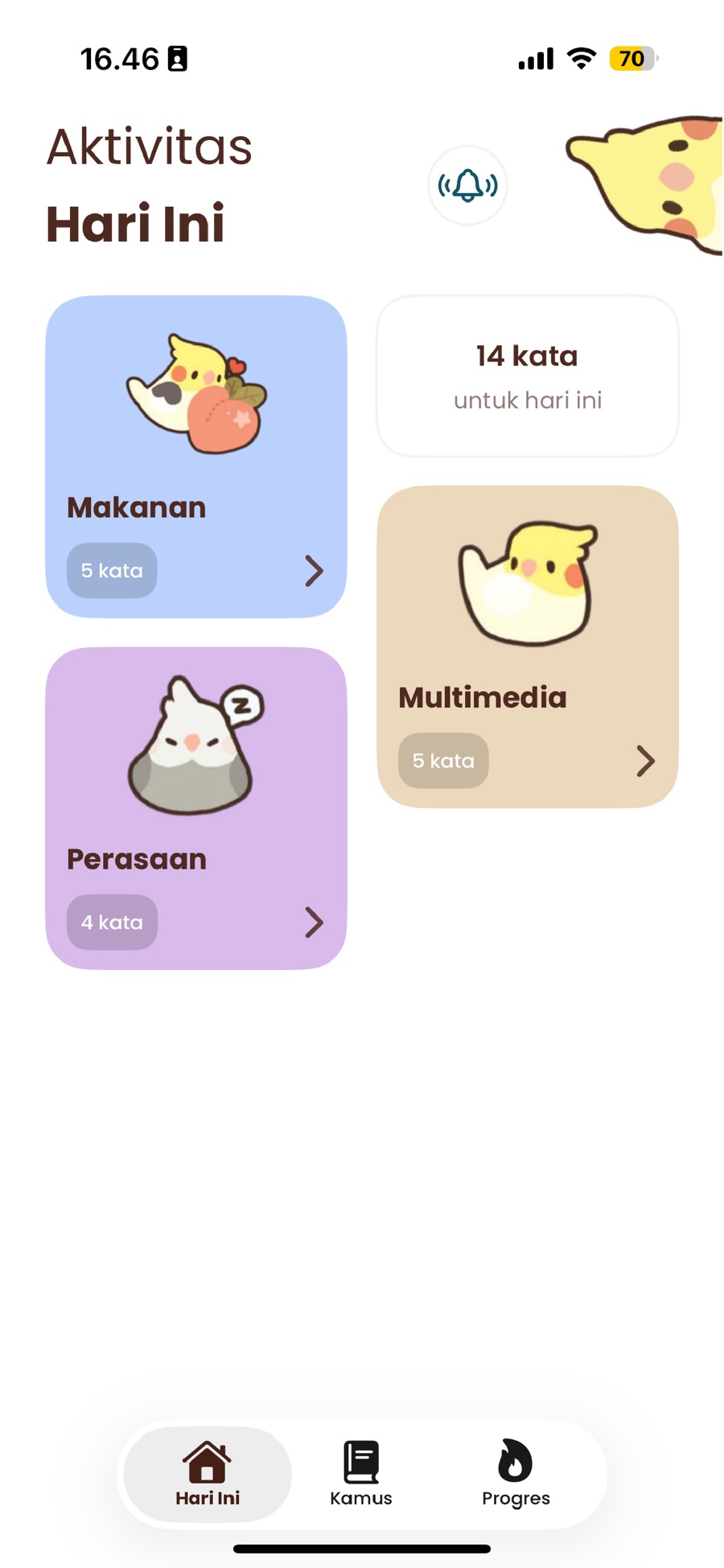
KATAKU is an iOS app that helps students with hearing impairments learn vocabulary and practice pronunciation. Students make their own decks and flashcards, so they study the words they need. The app is in Indonesian and English, and the practice words are Indonesian.
I built it with a team of six. It is on the App Store, it is free, and it does not collect any data.
What it does now
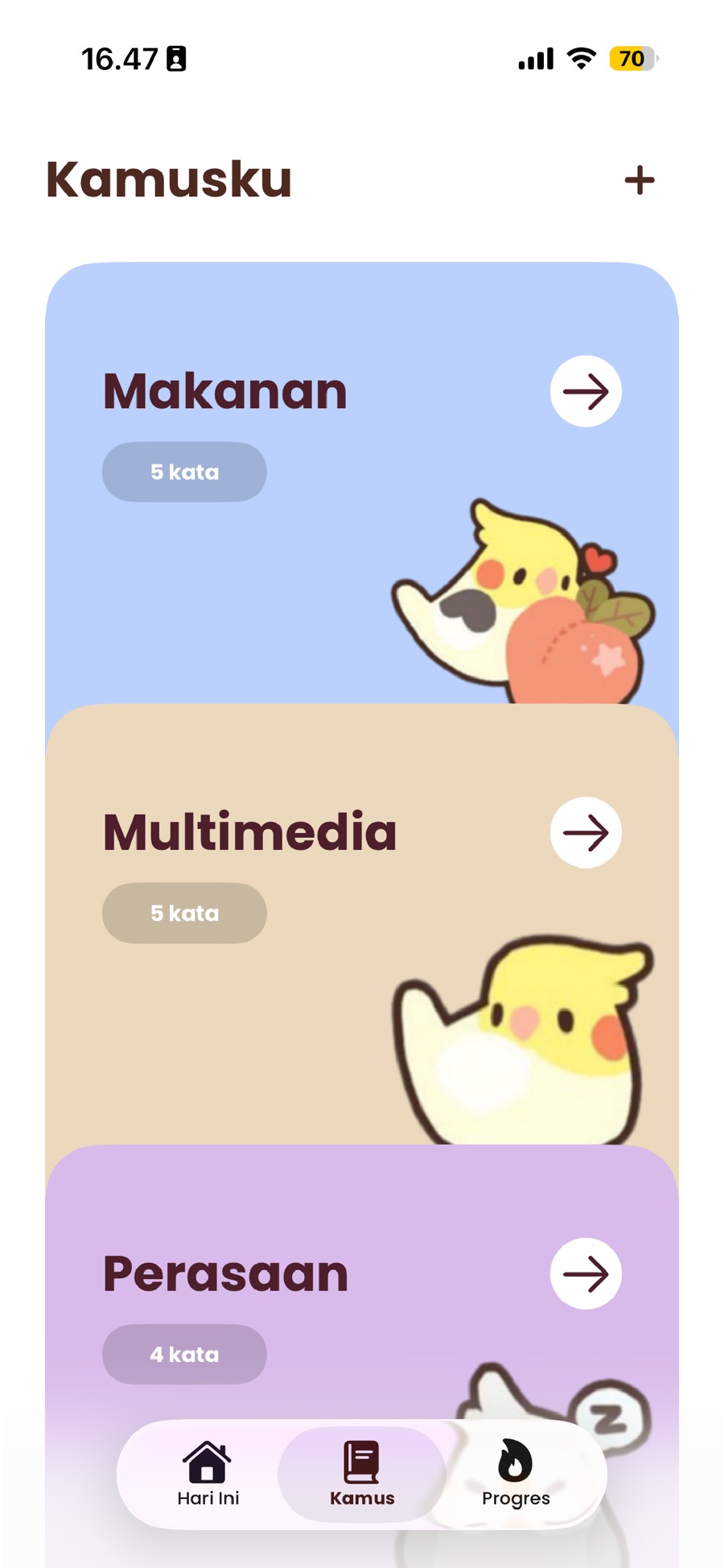
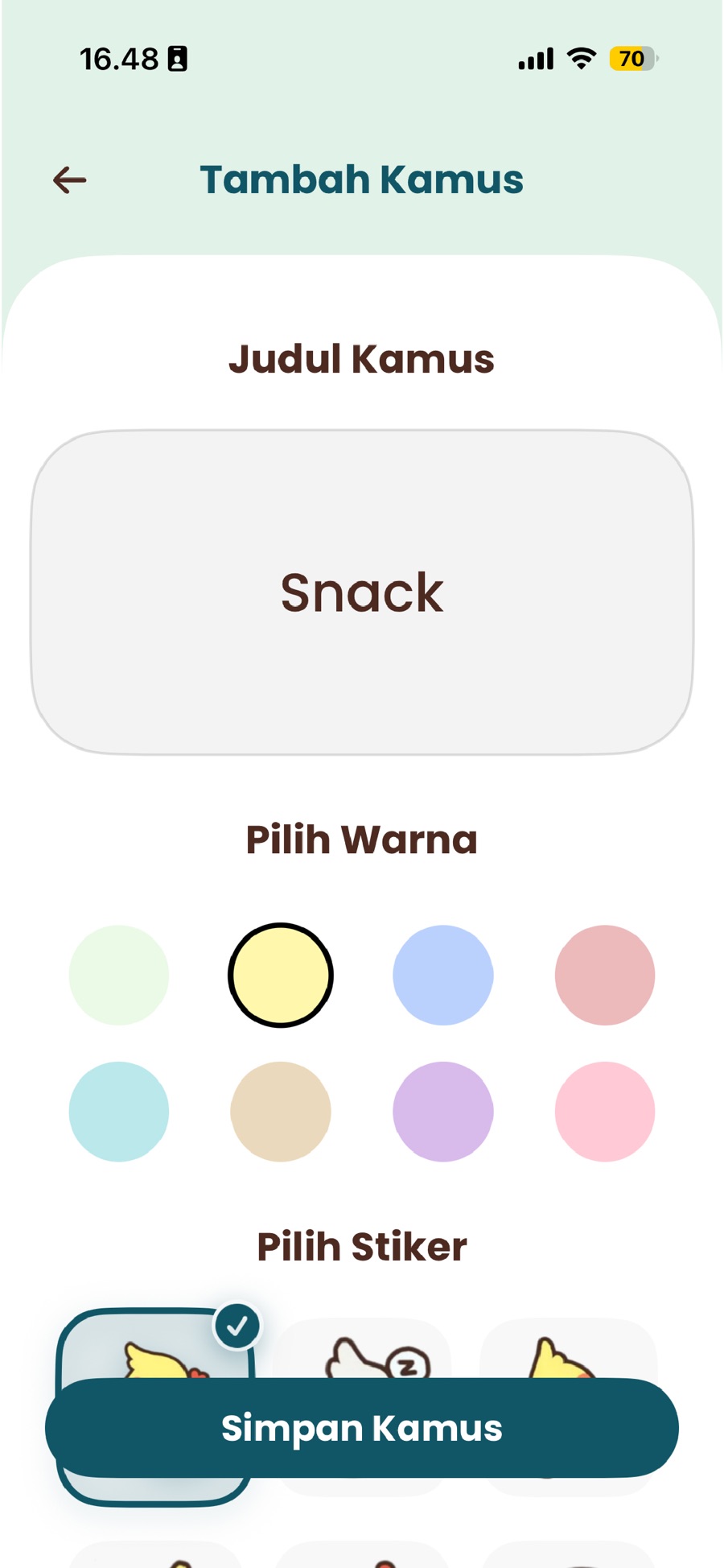
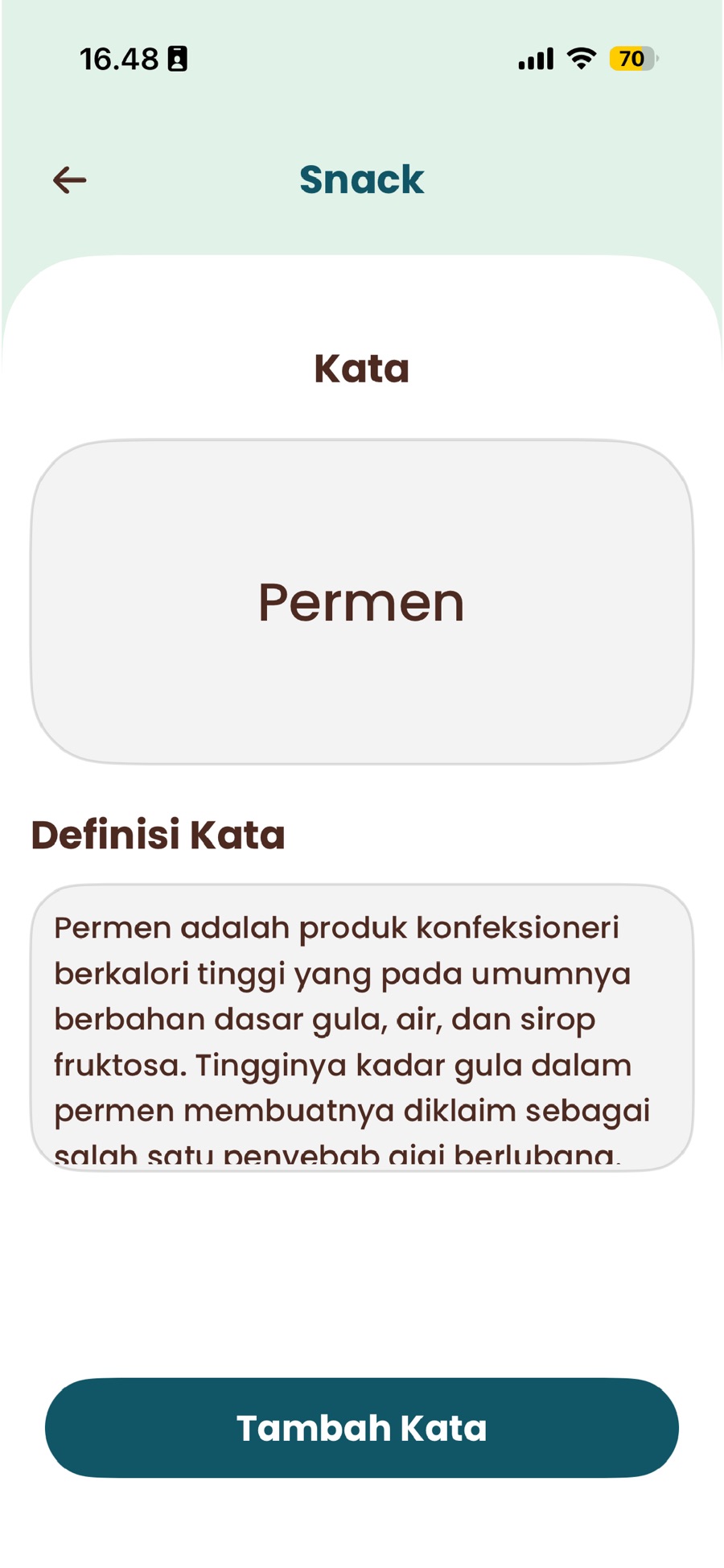
- Make your own decks. A student names a deck, picks a color and a sticker, and adds words with their definitions. In the app a deck is called a kamus, the Indonesian word for dictionary.
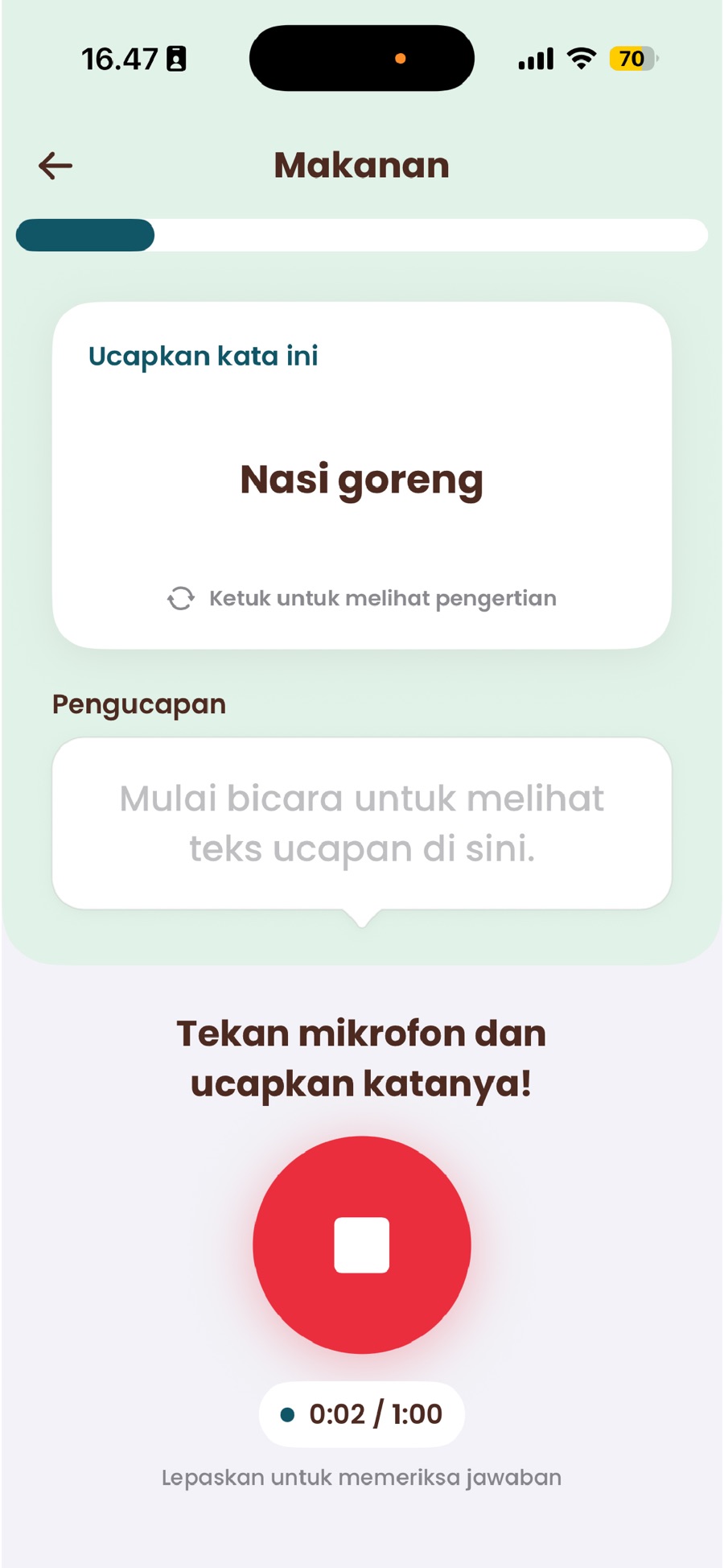
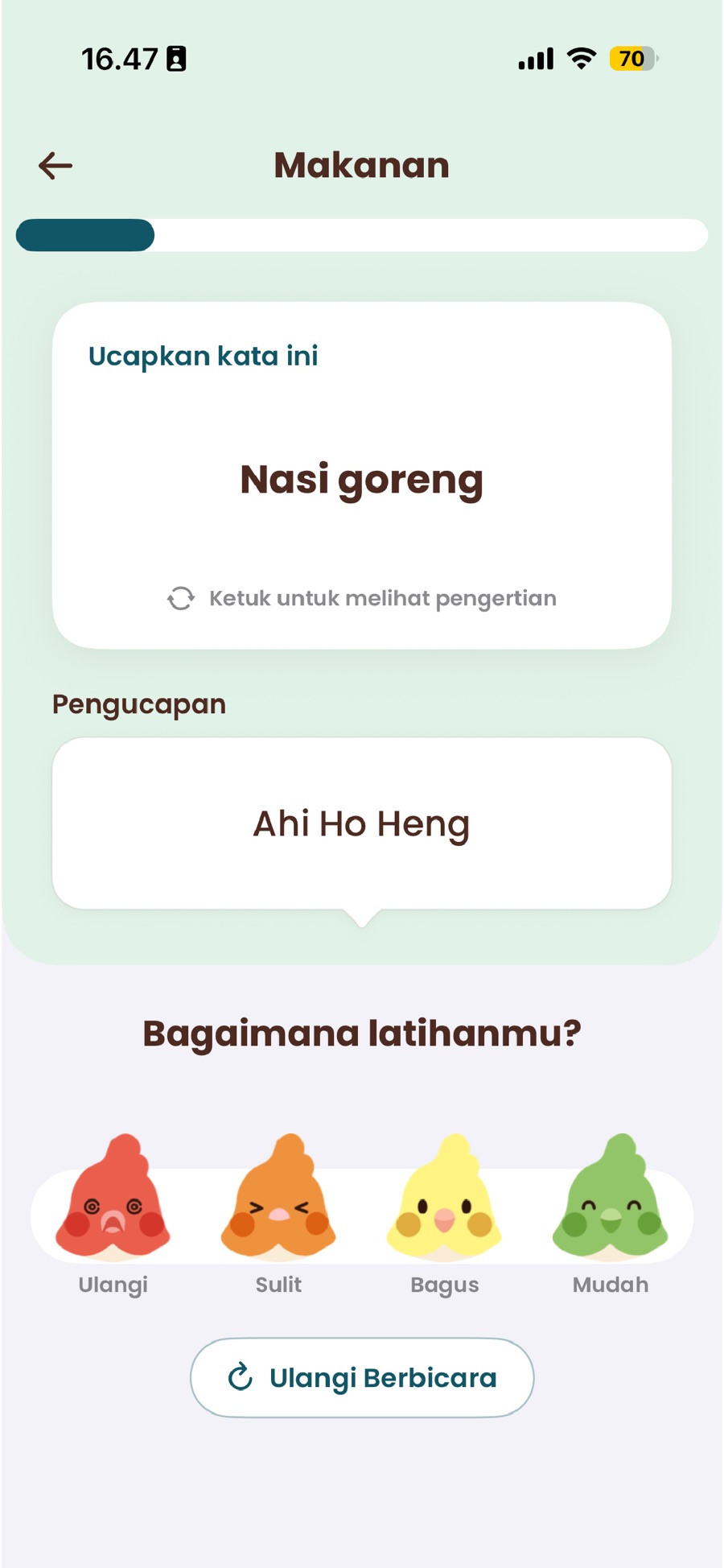
- Practice speaking. The app shows a word. The student presses the microphone and says it. Speech-to-text turns what they said into written words, so they can see whether the app understood the word they meant.
- Know if the pronunciation is close. For now, speech-to-text is our only check. It is not a full pronunciation score. It tells a student whether their word was recognized, and that is the first step.
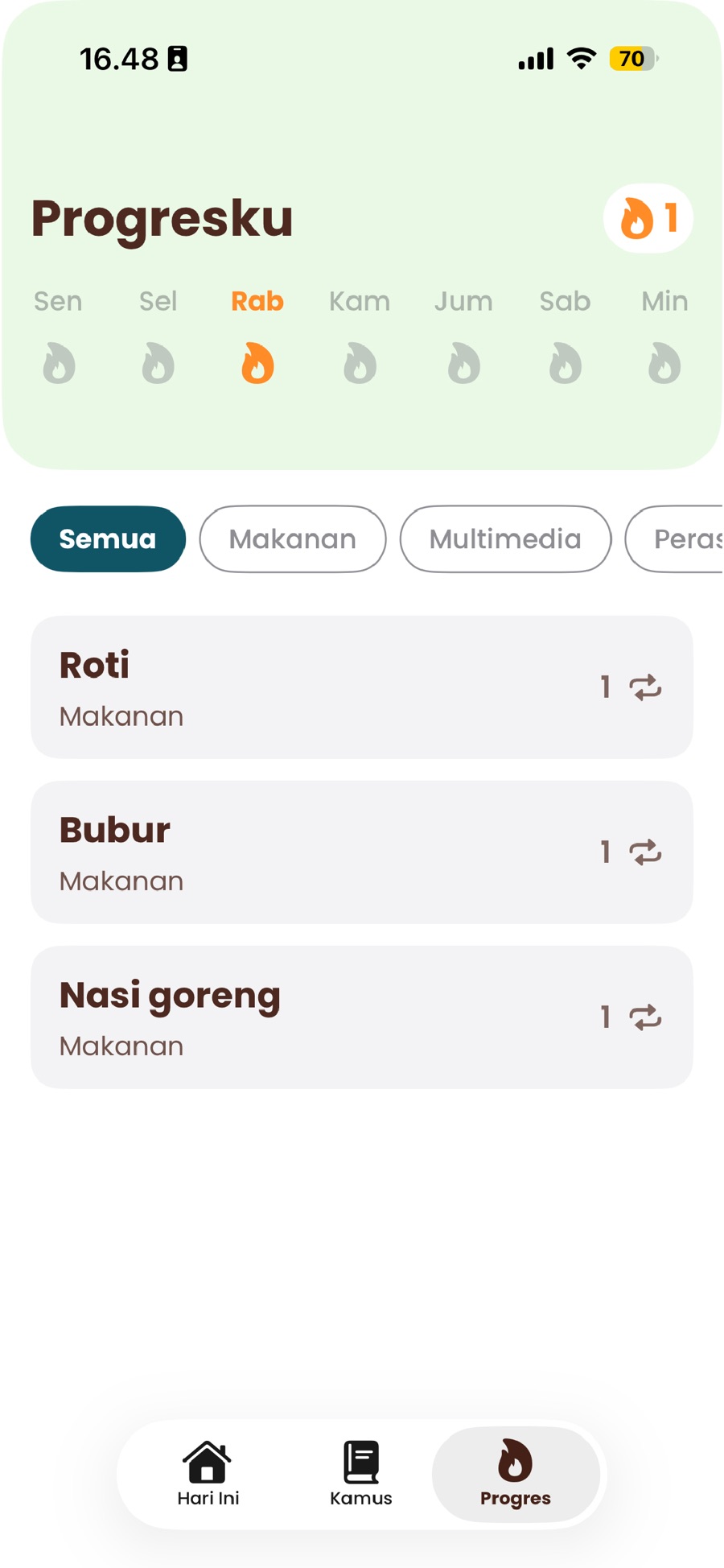
- Review at the right time. The app uses FSRS, a spaced repetition method. It decides when a word should come back, so words that need more practice appear more often.
- Keep data on the device. Speech is processed on the device, and the app collects no personal data.
What’s next
Speech-to-text only tells us whether a word was recognized. We plan to build on it so the app can give students more useful feedback on how they say a word. We have not decided the details yet.